

This guide explains how keypad locks work, how to handle basic lock programming, and what to check when a digital keypad stops responding. You’ll learn practical setup steps, common keypad troubleshooting tips, maintenance advice, and when to call a Canadian locksmith for safe, reliable keypad repair.
Understanding keypad locks and how programming works
Keypad locks have become a popular choice for Canadian homeowners who want convenient, key-free access. Whether installed on a front door, side entry, garage entry door, or rental suite, these electronic locks offer quick digital entry and flexible control. You can create user codes, remove old ones, and often pair the lock with smart home features depending on the model.
Before starting any lock programming, it helps to understand that not all code locks work the same way. Some use a simple standalone digital keypad, while others connect to Wi-Fi, Bluetooth, or a home security system. Even though features vary, most electronic keypad systems follow the same basics: a master code controls settings, user codes allow entry, and a battery-powered motor locks or unlocks the door.
If you are unsure which model you have or want help setting it up correctly, professional locksmith services can save time and prevent accidental lockouts.
Main parts of a digital keypad lock
A standard keypad lock usually includes several key components:
Exterior keypad
This is the visible digital keypad where you enter a code. Some are touchscreens, while others have raised buttons that are easier to use in cold Canadian weather.
Interior programming panel
Inside the home, you will often find the battery compartment, reset button, and programming controls. This is where many electronic locks are set up or restored.
Latch or deadbolt mechanism
The lock body extends or retracts when the correct code is entered. If the bolt is misaligned, the keypad may seem faulty even when the electronics are working properly.
Power source
Most code locks run on AA or 9V batteries. Low battery power is one of the most common reasons for keypad troubleshooting calls.
What to do before lock programming
Good preparation makes lock programming much easier. Before adding codes or changing settings, check the following:
- Read the manufacturer instructions for your exact model
- Install fresh, high-quality batteries
- Keep the door open while programming to avoid getting locked out
- Confirm the latch and strike plate line up properly
- Locate the master code or factory default code
This step matters because a keypad lock can fail to complete programming if the door hardware is binding. In many Canadian homes, seasonal swelling, shifting frames, or weather changes can affect door alignment. If the bolt rubs against the strike plate, the motor may strain or stop.
Homeowners dealing with stubborn hardware or repeated setup issues may benefit from expert locksmith support to make sure the lock is installed and programmed safely.
Basic programming guide for most electronic locks
While every brand is different, this programming guide covers the steps commonly used for residential electronic keypad systems.
1. Change the default master code
The first job is to replace the factory code. This protects your home from unauthorized access and is especially important after moving into a new house or condo. Choose a code that is easy for you to remember but hard for others to guess. Avoid birthdays, street numbers, or simple patterns like 1234.
2. Add user codes
Most keypad locks let you create separate codes for family members, trusted neighbours, cleaners, or short-term guests. Assign unique codes when possible. This makes it easier to delete one code later without affecting everyone else.
3. Test each code with the door open
After entering programming mode and saving a code, test it several times while the door is open. Make sure the lock responds quickly and the bolt moves fully.
4. Enable optional features
Many digital keypad models include auto-lock, one-time use codes, vacation mode, and sound settings. These features can improve convenience, but they should be tested carefully before daily use.
5. Record your settings securely
Keep your master code and user code list in a safe place, not on a note beside the door. A password manager or secure household document file is a better option.
If a lock refuses to accept new settings, the issue may be related to battery power, incorrect timing, or a missed step in the sequence. In some cases, a full reset is required before new lock programming will work properly.
Common keypad troubleshooting problems and easy fixes
Even reliable keypad locks can have problems over time. The good news is that many issues can be solved with a few simple checks. Below are some of the most common keypad troubleshooting concerns homeowners face.
The digital keypad does not respond
If the electronic keypad is completely unresponsive, start with the batteries. Replace them with new batteries from a trusted brand, making sure they are inserted in the correct direction. Weak batteries may still light up the screen but not provide enough power for the motor.
Next, clean the battery contacts if you see corrosion. Cold temperatures in some parts of Canada can also affect battery performance, especially in locks exposed to wind or extreme winter conditions.
If the lock still does not wake up, try a reset according to the manufacturer instructions. Some models have a small reset button inside the cover. If that fails, it may be time for professional keypad repair from a trained technician.
The code works sometimes but not always
Intermittent code entry problems usually point to one of three issues: worn buttons, low battery power, or user error. On older code locks, certain numbers may stop registering consistently because of wear. Touchscreen models can also become less responsive if moisture, dirt, or residue builds up.
Try these steps:
- Wipe the digital keypad with a soft, dry cloth
- Re-enter the code slowly and carefully
- Replace the batteries
- Delete and reprogram the code
- Check whether the lock has a time-out feature after repeated attempts
If only one user has trouble, the code may have been entered incorrectly during setup. If all users have trouble, the issue is more likely with the lock itself.
The lock beeps or flashes but will not unlock
When electronic locks make sounds or flash lights but the deadbolt does not move, the problem is often mechanical rather than electronic. The motor is trying to work, but the bolt may be blocked by poor alignment. This is common in homes where the door frame shifts slightly during seasonal temperature changes.
Open the door and test the lock again. If it works while open but not while closed, inspect the strike plate and latch alignment. Tightening loose screws or adjusting the strike plate may solve the issue.
Canadian homeowners should also know that exterior door hardware should meet reasonable safety and durability expectations for local conditions. If your lock is on a main entry door, proper installation matters for both function and home security. For complex alignment issues, certified locksmith technicians can inspect the door and hardware together.
The lock has stopped after too many wrong attempts
Many keypad locks include a security lockout feature. After several incorrect code entries, the system may disable input for a short period. This helps prevent guessing attacks but can confuse homeowners who think the unit is broken.
Wait the required time, then try the correct master code or user code again. If you recently changed settings, confirm that the old code has actually been removed and the new one was saved properly.
In homes with children, guests, or shared access, it is smart to review who has active codes every few months. Good keypad maintenance reduces confusion and improves security.
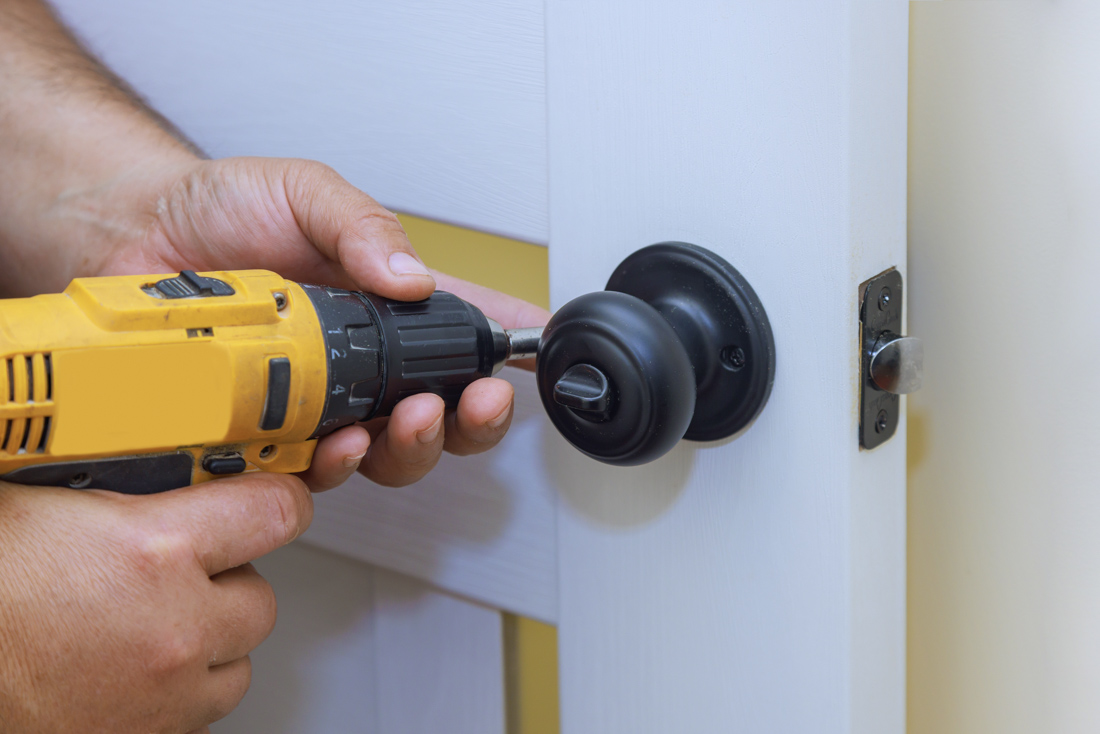
When to reset, reprogram, or repair a keypad lock
Not every keypad troubleshooting problem needs a full replacement. In many cases, the right fix depends on whether the issue is electronic, mechanical, or related to lock programming. Knowing the difference can save money and help you restore secure digital entry faster.
Signs a simple reset may solve the problem
A reset is often the best next step when the digital keypad is powered on but behaving oddly. For example, the lock may reject valid codes, freeze during programming, or keep old settings after you try to update them. Resetting can return the electronic keypad to factory defaults so you can start fresh.
Before resetting, make sure you have the manufacturer instructions and fresh batteries ready. Keep the door open during the process. After the reset, re-enter the master code, add user codes again, and test the lock several times. If you are unsure about the process, professional locksmith services can help prevent accidental lockouts or lost settings.
When reprogramming makes more sense than resetting
If the lock still works but access needs have changed, reprogramming is usually enough. This is common after moving, ending a renovation, changing tenants, or updating household security. Instead of wiping the whole system, you can remove old codes and add new ones.
Reprogramming is also a smart step if:
- A former roommate, contractor, or guest still knows the code
- One user code works poorly and may have been entered incorrectly
- You want to turn on auto-lock or other digital entry features
- You need temporary access for a neighbour, cleaner, or pet sitter
For Canadian homeowners with rental units, basement suites, or shared family properties, regular lock programming updates are part of good home security. Unique user codes are safer than sharing one code with everyone.
Warning signs that point to keypad repair
Sometimes the problem is beyond basic setup. If your keypad lock keeps failing after battery changes, cleaning, and reprogramming, there may be an internal fault. Worn buttons, damaged wiring, moisture inside the unit, or a failing motor can all cause ongoing trouble.
You may need keypad repair if you notice:
- Buttons that only respond when pressed very hard
- A touchscreen that lights up but does not register numbers
- Repeated beeping with no bolt movement
- Battery drain happening much faster than normal
- A loose interior assembly or shifting lock body
In these situations, it is best to arrange expert locksmith support rather than forcing the lock to operate. Continued use can make an electronic locks issue worse and may leave you locked out at the wrong time.
Keypad maintenance tips for Canadian homes
Regular keypad maintenance helps code locks last longer and work more reliably through changing Canadian seasons. Cold weather, moisture, dust, and door movement can all affect performance. A few simple habits can reduce service calls and keep your electronic keypad in good condition.
Battery care matters more than many homeowners think
One of the easiest ways to avoid keypad troubleshooting problems is to replace batteries before they fully fail. Most keypad locks give a low-battery warning, but many homeowners wait too long. Once voltage drops too far, lock programming may fail or the motor may stop mid-cycle.
Use quality batteries recommended by the manufacturer, and avoid mixing old and new ones. In colder parts of Canada, battery life may drop faster during winter. It is a good idea to check power levels before the coldest months begin.
Keep the digital keypad clean and dry
Dirt, hand oils, salt residue, and moisture can all affect a digital keypad over time. Wipe the exterior gently with a soft dry cloth. Avoid spraying cleaners directly onto the lock. For touchscreen models, use only products approved by the manufacturer.
If your electronic locks are exposed to blowing snow, heavy rain, or coastal moisture, inspect them more often. Water intrusion can lead to corrosion, short-term glitches, or permanent keypad repair needs.
Check door alignment through the seasons
Many lock issues blamed on electronics are actually caused by the door itself. Wood doors can swell, frames can shift, and hardware can loosen as temperatures change. This is especially common in older homes across Canada.
Test the deadbolt with the door open and closed. If it works smoothly while open but sticks when closed, the strike plate may need adjustment. Proper alignment reduces strain on the motor and improves the life of your keypad locks.
Review codes and settings regularly
Good keypad maintenance is not only about hardware. It also means managing access. Review active codes every few months and delete any that are no longer needed. If your lock supports audit trails or app-based control, check for unusual activity and update settings when needed.
For homes with frequent visitors, short-term rentals, or service providers, regular code management is just as important as physical maintenance. If you want help securing your entry points, our certified technicians can inspect both the lock and the door hardware.
Choosing the right help for safe digital entry and long-term security
DIY steps are useful for basic keypad troubleshooting, but there are times when calling a professional is the safer choice. A locksmith can do more than replace a lock. They can assess installation quality, check alignment, confirm proper lock programming, and recommend better options for your home.
When a homeowner can handle the issue
You can often solve minor problems on your own if the lock is otherwise in good shape. Simple fixes include replacing batteries, cleaning the electronic keypad, testing codes, and following the manufacturer programming guide. These steps are practical for many homeowners and can restore digital entry quickly.
When a locksmith is the better option
Professional help is recommended when the lock is still unreliable after basic troubleshooting, when the door does not align properly, or when you are dealing with a full lockout. This also applies if the lock protects a main entry door, detached garage, rental unit, or home office where security matters even more.
A trained locksmith can also help you choose between repairing and replacing older code locks. In some cases, upgrading to newer electronic locks with better weather resistance, stronger encryption, or easier user management is the smartest long-term move.
What to look for in Canada
When hiring a locksmith in Canada, look for experience with residential electronic keypad systems, clear service information, and knowledge of local conditions. Harsh winters, humid summers, and shifting door frames all affect how keypad locks perform. A technician who understands Canadian homes can provide more reliable solutions.
Whether you need a reset, a full programming guide, or hands-on keypad repair, the goal is the same: safe, dependable access for your household. Fortify Services helps Canadian homeowners with lock programming, digital keypad troubleshooting, and secure hardware solutions that work in real everyday conditions.
If your keypad lock is acting up, codes are not saving, or the bolt is no longer moving properly, contact Fortify Services for trusted locksmith services. Their team can diagnose the issue, restore secure entry, and help you keep your home protected with reliable electronic locks.